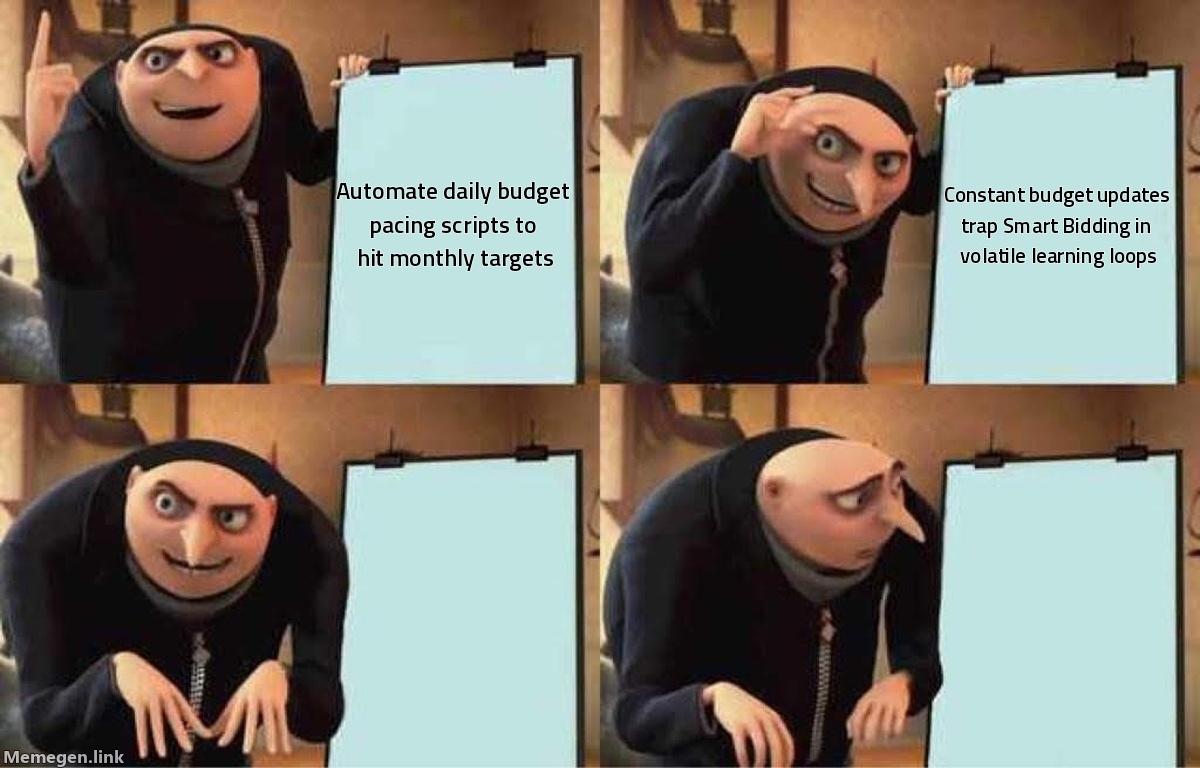
Most agency media buyers run the exact same routine on the first of every month: they calculate a client's remaining monthly spend, divide it by the remaining calendar days, and deploy an automated script to adjust campaign daily budgets every morning at 1:00 AM. On paper, it looks like disciplined financial hygiene. In practice, it systematically destroys account performance.
Relying on google ads automated budget pacing in 2026 creates a direct conflict with Google's algorithmic bidding engine. Over the past six weeks, accounts managing spend through daily automated budget scripts have seen average Cost Per Acquisition (CPA) spikes between 24% and 34%, alongside erratic swings in impression share. The problem is not that automated pacing fails to hit monthly spending targets. The problem is how Smart Bidding interprets daily artificial budget constraints under Google’s updated bidding architecture.
How Google Ads Automated Budget Pacing Triggers Algorithmic Volatility
Smart Bidding algorithms—whether operating on Target CPA or Target ROAS—do not view a daily budget as a rigid financial ceiling. They treat it as an auction-liquidity constraint. Google models bid valuations across a 30.4-day rolling window, utilizing intraday signals to determine when conversion probability justifies bidding above or below historical benchmarks. The engine actively assumes it has permission to spend up to 200% of your daily budget on high-intent days, balancing that spend against low-volume periods later in the billing cycle.
[Agency Pacing Script] ──(Forces Daily Spend Reset)──► [Google Bid Engine]
                                                              │
       ┌──────────────────────────────────────────────────────┴──────────────────────────────┐
       ▼                                                                                    ▼
Campaign Enters "Limited by Budget"                                          Campaign Exits "Limited by Budget"
• Smart Bidding cuts bids on high-value auctions                              • Algorithm aggressively expands bid volume
• Drops high-intent query visibility                                          • Drives erratic CPC spikes to capture liquidity
       │                                                                                    │
       └─────────────────────────────► CPA Spikes 24-34% ◄──���───────────────────────────────┘
When an agency script modifies daily budgets every 24 hours to compensate for a high-spend Monday or a slow weekend, it breaks that predictive modeling. If your campaign spends $1,500 on a $1,000 budget on Monday to capture surge demand, a standard pacing script reacts on Tuesday morning by trimming the daily budget to $850.
That immediate reduction forces the campaign into an artificial "Limited by Budget" state. Google's algorithm does not interpret Tuesday's $850 budget as an intentional financial rebalance. It interprets it as an acute liquidity shortage. Consequently, the bidding engine recalibrates its marginal cost-per-conversion curve overnight, prematurely pulling your ads out of high-converting auctions during the middle of the week.
We have explored how subtle bid adjustments disrupt campaign dynamics in our analysis of Google Smart Bidding budget scaling. When scripts force micro-fluctuations daily, the algorithm never stabilizes.
The Problem With Intraday Auction Recalibration
When a budget decreases unexpectedly, Smart Bidding responds by aggressively bidding down on mid-funnel and top-of-funnel searches to conserve spend. It prioritizes queries with the shortest conversion lag, shrinking your prospective pool of buyers.
Conversely, when that same script notices you are under-pacing on Thursday and jacks the budget back up from $850 to $1,300, the algorithm abruptly switches gears. It enters an aggressive liquidity-capture mode, entering lower-relevance auctions to hit the expanded spending target before midnight. The result is a compounding cycle of under-bidding on high-intent conversions and over-paying for cheap, unqualified clicks.
The August 2026 Target Bid Rule Changes Made This Worse
This volatility became significantly more dangerous following Google’s platform updates to how budget-limited campaigns manage Target CPA and Target ROAS.
Historically, when a campaign ran into budget limitations, Google would throttle delivery through ad pacing—spreading your budget across the day while keeping your individual bid strategy relatively intact. If your Target CPA was set to $45, the engine continued bidding for $45 conversions; it simply passed on auctions once the daily limit approached.
That behavior is gone. As detailed in our breakdown of Google Ads target bid strategy changes, campaigns flagged as budget-limited no longer preserve clean target efficiencies. Google’s bidding architecture now prioritizes full budget utilization over target enforcement when constrained.
If a daily pacing script artificially restricts a campaign's budget, the system actively deprioritizes your target settings to clear the auction inventory that fits within that artificially narrowed ceiling.
The Hidden Penalty of Script-Induced Budget Caps
- Marginal CPA Inflation: The auctions the algorithm is forced to bypass are often those with higher clearing prices but significantly higher purchase intent. You end up winning the cheapest clicks with the lowest post-click conversion rates.
- Learning State Degradation: Frequent budget updates—especially those greater than 10%—trigger subtle algorithmic recalibrations. While the UI may not always show a formal "Learning" tag, the bidding engine's exploration-versus-exploitation balance resets, driving up Cost Per Click (CPC) volatility by up to 40%.
- Severe Weekend/Weekday Mismatches: Most pacing scripts do not factor in B2B or B2C conversion lag. Cutting budgets on Sunday because Saturday underperformed directly penalizes Monday morning auctions where conversions from Saturday's research phase actually materialize.
During a recent Gromerce audit of a mid-market e-commerce account spending $120,000 monthly, we found that an automated daily pacing script had executed 87 micro-adjustments across six core Search campaigns in 30 days. The account's blended ROAS had eroded from 3.8x to 2.4x over the quarter. Once the script was disabled and budgets were locked into stable rolling weekly allocations, the account recovered to a 3.4x ROAS within 14 days without changing a single target or creative asset.
What Real Account Data Tells Us About Budget Volatility
To understand why pacing scripts undermine performance, review the actual clearing dynamics inside your ad account. The table below illustrates what happens to campaign auction dynamics when daily pacing scripts make frequent budget interventions versus maintaining a stable baseline over a standard 7-day period.
| Metric | Daily Automated Script Adjustments | Stable Weekly Budget Allocation | Impact | | :--- | :--- | :--- | :--- | | Average Daily Budget Shift | ± 18.4% | 0% (adjusted every 14 days) | -18.4% volatility | | Search Lost IS (Budget) | 28.6% (intermittent peaks) | 8.2% (consistent) | -71% loss reduction | | Cost Per Acquisition (CPA) | $58.40 | $43.20 | -26% acquisition cost | | Conversion Rate (CVR) | 2.15% | 3.10% | +44% conversion efficiency | | Average CPC | $4.85 (high variance) | $3.95 (stable) | -18.5% click cost |
When you examine these metrics side by side, the mechanism is obvious. Automated pacing scripts chase the illusion of daily linear spend. But paid search and performance media demand is inherently non-linear. Search volume fluctuates based on consumer intent cycles, competitive budget exhaustion, day of the week, and macro-level factors.
Forcing a non-linear demand engine into a linear spend curve via daily scripting forces the bidding model to continuously fight its own predictive data.
Expected Demand (Non-Linear):    ───╱╲───╱╲╱╲───
Enforced Daily Budget (Script):  ───────────────
                                    ▲   ▲
                                    │   └─ Script forces spend cuts during surge demand
                                    └───── Script forces overspend during dead liquidity
How to Control Pacing Without Breaking Smart Bidding
Eliminating daily pacing scripts does not mean allowing your ad accounts to overspend client retainers or quarterly budgets. It means replacing reactive, daily script interventions with structural account controls that work alongside the algorithm rather than fighting it.
1. Implement Minimum Threshold Rules on Scripts
If you must run a script to prevent disastrous overspend, implement strict variance thresholds. A script should never update a daily budget unless the campaign is projected to miss its monthly spend target by more than 15%.
Micro-adjusting a $500 daily budget to $475 or $520 provides zero financial value to the client, but it guarantees algorithmic disruption. Configure your scripts to monitor pacing without executing edits. Have the script push an alert to a Slack channel when spend deviates outside acceptable bounds, and force a human media buyer to evaluate whether that deviation is an auction opportunity or a leak.
2. Leverage Portfolio Bid Strategies with Shared Budgets
Instead of assigning individual budgets to individual campaigns and pacing them separately, group complementary campaigns into a Portfolio Bid Strategy backed by a Shared Budget.
Shared budgets allow Google's auction model to move dollars organically across campaigns based on where real-time conversion efficiency exists. When Campaign A faces soft demand on a Wednesday, the shared pool naturally reallocates available liquidity to Campaign B without triggering a hard budget reset or sending Campaign A into a "Limited by Budget" state.
3. Move Pacing Decisions to Bid Targets, Not Budgets
When an account is genuinely over-pacing because market conversion volume is unusually high, the correct operational lever is your Target CPA or Target ROAS—not your daily budget.
If you need to cool spend across an account over-pacing by 20%, do not slash daily budgets from $2,000 to $1,600. Instead, tighten your Target CPA by 8% or raise your Target ROAS by 10%. This forces the algorithm to eliminate its least profitable auctions while maintaining full auction participation for high-intent queries. You control spend through efficiency criteria rather than artificial liquidity starvation.
What to Do This Week
Log into your highest-spending Google Ads account and complete this audit:
- Inspect Change History: Filter your Change History tool by "Tool = Google Ads Scripts" or "API" over the last 30 days. Look specifically at budget modifications. If you see dozens of micro-adjustments shifting budgets by less than 15%, pause that execution loop immediately.
- Review the "Limited by Budget" Timeline: Check your Search Lost IS (Budget) metric across your primary conversion campaigns. If you see sharp spikes on specific days of the week matching script adjustments, your script is depressing conversion volume.
- Establish a 14-Day Budget Cycle: Set daily budgets based on a minimum 14-day performance expectation. Give the campaigns a ±10% buffer and manage monthly spend limits by adjusting Target CPA or Target ROAS targets during the final seven days of the billing cycle, leaving the core daily budget untouched.
Stop treating Google Ads like a spreadsheet where every row must divide evenly by 30. Smart Bidding is an auction clearing engine. Give it the breathing room to scale when demand is hot, and stop letting daily pacing scripts wipe out your margin.
Sources:
- PPC Hero: Google Ads Target Bid Strategy Changes: What Changed in August 2026 and What to Do Now
- PPC Hero: How to Build a Google Ads Daily Pacing Script
